
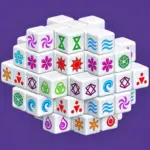



Play Mahjong Dimensions Online for free and jump into a fast-paced 3D tile-matching challenge where every second counts. Mahjong Dimensions transforms classic Mahjong Solitaire into a rotating cube puzzle filled with hidden matches and quick decisions.
Rotate the puzzle, find two matching free tiles, and clear them before the timer runs out. Each turn can reveal a new pair, so keep moving, stay focused, and think ahead.
Ready to take Mahjong into a new dimension? Start matching tiles, build your score, and see how many levels you can clear.
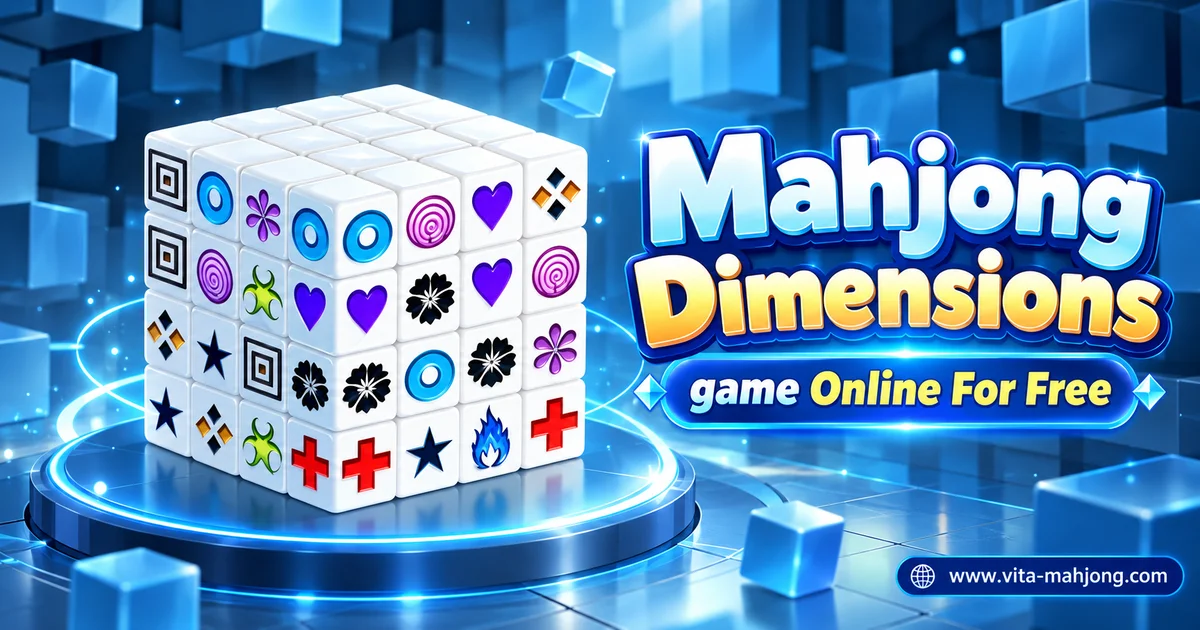
What Is Mahjong Dimensions?
Mahjong Dimensions is a 3D tile-matching puzzle game developed by Arkadium. Early versions of the game appeared around 2009, and later editions were released for web browsers and mobile devices.
Unlike traditional flat Mahjong Solitaire, Mahjong Dimensions uses a rotating 3D structure filled with Mahjong-style tiles. Players turn the puzzle to uncover open matching pairs, remove them, and try to clear as many levels as possible before the timer runs out.
Mahjong Dimensions Gameplay
Mahjong Dimensions is played on a rotating 3D structure made of Mahjong-style tiles. Your goal is to find two identical free tiles and remove them as a pair. A tile can be selected when it is not blocked on both horizontal sides.
Rotate the puzzle to check every side and reveal matches that may be hidden from view. Each successful pair disappears, opening new spaces and making more tiles available.
You complete a level by clearing every tile from the structure. Because the game is timed, you need to match quickly while still choosing moves that keep more options open.
How to Play Mahjong Dimensions?
- Find two matching tiles: look for two free tiles with the same symbol.
- Check that the tiles are available: a tile can be matched when it is not blocked on both horizontal sides.
- Rotate the 3D puzzle: turn the structure to inspect every side and reveal matches that may be hidden from view.
- Remove matching pairs: each successful match clears two tiles and may open new spaces for additional moves.
- Keep a steady pace: the game is timed, so try to find useful matches without spending too long on each move.
- Clear the level: remove every tile from the 3D structure to complete the level and move on to the next challenge.
Controls
- PC / Laptop: click a free tile with the left mouse button, then click a matching free tile to remove the pair.
- Rotate the puzzle: use the on-screen left and right arrows, press the Left or Right Arrow keys, or click and drag the 3D structure with your mouse.
- Mobile / Tablet: tap two matching free tiles to remove them, and swipe left or right to rotate the 3D puzzle.
- Shuffle: if your version includes a shuffle option, use it to rearrange the remaining tiles when you cannot find a useful match.
Tips and Tricks for Mahjong Dimensions
- Rotate the puzzle often: check different sides regularly to reveal matching tiles that may be hidden from view.
- Clear outer tiles first: removing exposed tiles around the edges can open more space and create new matching options.
- Think ahead before matching: choose pairs that free more tiles instead of removing the first match you see.
- Keep a steady pace: the game is timed, so avoid spending too long searching one side of the puzzle.
- Rotate before assuming you are stuck: if you cannot see a match, check the other sides of the 3D structure before using a shuffle or restarting.
Features of Mahjong Dimensions
- 3D tile-matching gameplay: match identical free tiles on a rotating 3D structure instead of a traditional flat board.
- Rotating puzzle view: turn the structure to inspect every side and reveal matches that may be hidden from view.
- Timed gameplay: clear tiles efficiently and complete as many levels as possible before the timer runs out.
- Speed Match bonuses: supported versions reward quick consecutive matches with extra points and score multipliers.
- Multi-Match bonuses: some versions award additional points when you continue matching the same symbols in a streak.
- Progressive levels: clearing all tiles completes the current level and moves you on to the next puzzle.
- Simple controls: select matching tiles with a mouse or touchscreen and rotate the puzzle using drag, swipe, arrow keys, or on-screen controls.
- Cross-device support: compatible versions can be played on desktops, laptops, tablets, and smartphones.
Similar Games to Mahjong Dimensions
- Mahjong Solitaire
- Mahjong Titans
- Vita Mahjong
- Mahjong Connect
FAQs About Mahjong Dimensions
How do you play Mahjong Dimensions?
Match two identical free tiles to remove them from the 3D structure. Rotate the puzzle to find hidden pairs and clear every tile to complete the level.
What makes a tile free in Mahjong Dimensions?
A tile can be matched when it is not blocked on both horizontal sides by other tiles.
How do you rotate the cube in Mahjong Dimensions?
On a computer, use the on-screen arrows, keyboard arrow keys, or click and drag the puzzle. On mobile, swipe left or right to rotate it.
How long is a game of Mahjong Dimensions?
The current Arkadium web version gives you 5 minutes and 50 seconds to score as many points and complete as many levels as possible.
What happens when the timer runs out in Mahjong Dimensions?
The game ends when the timer reaches zero, so quick and accurate matching can help you reach more levels and earn a higher score.
How do you get a high score in Mahjong Dimensions?
Match tiles quickly, clear levels, and build Speed Match and Multi-Match bonuses. Fast consecutive matches can significantly increase your score.
What is a Speed Match in Mahjong Dimensions?
In the current Arkadium web version, a Speed Match happens when you make another match within two seconds of the previous one, increasing your score multiplier.
What is a Multi-Match in Mahjong Dimensions?
A Multi-Match happens when you make consecutive matches using the same tile symbols. Keeping the streak going can earn extra bonus points.
What should I do if I cannot find a match?
Rotate the 3D puzzle and check the other sides before assuming you are stuck. A legal pair may simply be hidden from your current view.
Can I play Mahjong Dimensions online for free?
Yes. You can play the browser version of this game online for free on compatible devices without installing additional software.
Do I need to download Mahjong Dimensions?
No. The browser version can be played directly online, while separate mobile apps are available for players who prefer an installed version.
Can I play Mahjong Dimensions on my phone or tablet?
Yes. Compatible browser versions support touch controls, and Arkadium also offers official Mahjong Dimensions apps for mobile devices.
Can I play Mahjong Dimensions offline?
The official Arkadium mobile app supports offline play after installation. The browser version normally requires an internet connection to load and play.
Is there an untimed version of Mahjong Dimensions?
Some Arkadium versions offer an untimed mode through Arkadium Advantage, while the classic web version normally uses a timer.
Who developed Mahjong Dimensions?
Mahjong Dimensions was developed by Arkadium, a game studio known for browser and casual puzzle games.
What is the difference between Mahjong Dimensions and Mahjong Solitaire?
Mahjong Solitaire uses a flat layered board, while Mahjong Dimensions places the tiles on a rotating 3D structure that you turn to reveal hidden matches.
Is Mahjong Dimensions difficult for beginners?
The basic matching rules are easy to learn, but the timer and rotating 3D layout make the game more challenging as you progress.
Conclusion
Mahjong Dimensions brings a fresh 3D twist to classic tile-matching gameplay. Instead of working with a flat board, you rotate the puzzle, search for free matching tiles, and clear each level before the timer runs out.
Success depends on both speed and smart planning. Rotating the structure often, opening blocked areas, and choosing useful matches can help you keep the game moving and improve your score.
Ready for the challenge? Start Mahjong Dimensions now, rotate the puzzle, find the best matching pairs, and see how many levels you can clear.