



Play Mahjong Classic online for free! Dive into a fun tile-matching puzzle where every move brings you closer to victory. Spot identical free tiles, clear tricky layers, and uncover hidden matches as you work toward an empty board.
Sounds easy? Think again! One wrong match can leave valuable tiles blocked, so keep your eyes sharp and plan your next move. Every pair you remove brings a fresh little challenge.
Ready to test your puzzle skills? Jump into the game, find your first matching pair, and see if you can clear the entire board!
About Mahjong Classic
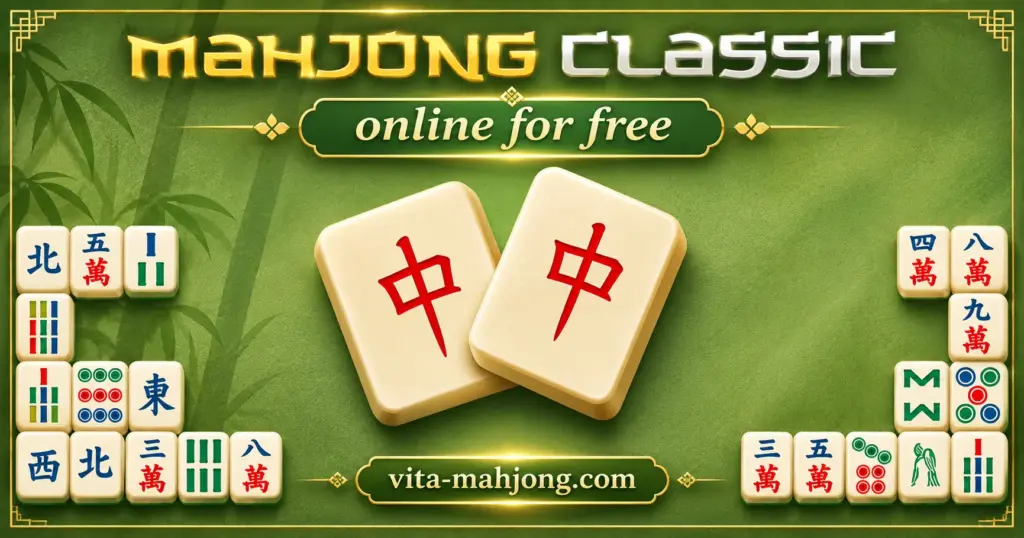
Mahjong Classic is a single-player tile-matching puzzle based on the traditional Mahjong Solitaire game. A well-known browser version was developed by GameBoss and released in April 2018. It features familiar Chinese-style tiles arranged in a classic puzzle layout.
In the GameBoss version, players work through a board of 144 tiles arranged in a layered Turtle pattern. There is no time limit, so beginners and experienced players can enjoy solving the puzzle at their own pace.
Mahjong Classic Gameplay
In Mahjong Classic, your goal is to clear the board by matching pairs of tiles with identical symbols. You can only select free tiles, which means no other tile is covering them and at least one side, either left or right, is open.
Each matching pair disappears, revealing hidden tiles and opening new moves. Some versions include Flower and Season tiles, which can be matched within their own groups even when their designs are different.
Every move matters. Removing one pair might free several tiles, while another choice could block your progress. You win by clearing the entire board. If no valid pairs remain, you can use undo or shuffle when available, or restart the puzzle.
Platform
You can play Mahjong Classic directly in your web browser on a compatible desktop, laptop, smartphone, or tablet without downloading or installing any software.
How to Play Mahjong Classic?
- Find a matching pair: Look for two tiles with the same symbol. Both must be uncovered and have at least one open side.
- Remove the tiles: Select the matching pair to make both tiles disappear from the board.
- Unlock hidden tiles: Choose pairs that open up new areas or uncover tiles underneath.
- Think ahead: If several pairs are available, pick the one that gives you more options for your next move.
- Check special tiles: If Flowers and Seasons appear, match them within their own groups, even when their designs differ.
- Complete the puzzle: Keep removing valid pairs until the board is empty.
Controls
PC and Laptop
- Left Mouse Click: Select a free tile, then click its matching tile to remove the pair.
- Hint: Show an available pair when you need help, if supported.
- Shuffle: Rearrange the remaining tiles, if this option is available.
Mobile and Tablet
- Tap: Select a free tile, then tap a matching free tile to remove both.
- On-Screen Buttons: Use Hint or Shuffle when these features are available.
Tips and Tricks for Mahjong Classic
- Clear top layers: Reveal hidden tiles to unlock more matches.
- Open long rows: Remove pairs from the ends to free blocked tiles.
- Choose wisely: Pick pairs that create the most new moves.
- Watch matching tiles: Check all four identical tiles before choosing a pair.
- Keep your options open: Clear different areas to avoid getting stuck.
Features of Mahjong Classic
- Classic Mahjong tiles: Familiar Chinese-style symbols and traditional tile designs.
- Layered puzzles: Stacked tiles create different matching challenges.
- No time limit: Solve the puzzle at your own pace in the GameBoss version.
- Simple controls: Easy mouse and touch interactions on supported devices.
- Helpful hints: Find available pairs when you need assistance.
- Shuffle option: Rearrange the remaining tiles to discover new matches.
Mahjong Classic Online
Play Mahjong Classic directly in your browser with our adapted version of this popular tile-matching puzzle. No download or installation is needed. The game runs on compatible devices using modern browsers such as Google Chrome, Mozilla Firefox, Microsoft Edge, Safari, and Opera.
Mahjong Classic for Free
Enjoy our browser version at no cost, with no fees or in-game purchases required to play. All other games on our website are also free to play.
Mahjong Classic Download
Many Mahjong Classic fans prefer installing the game on their devices for a dedicated mobile experience. If you would rather download an app than play in your browser, here are your options.
Download Mahjong Classic for Android
Android users can find Mahjong Classic by SUN STUDIO on Google Play. Open the store page, tap Install, and follow the instructions to get the game on your phone or tablet.
Download Mahjong Classic for iPhone and iPad
If you have an iPhone or iPad, visit the Mahjong Classic page on the Apple App Store. Tap Get and follow the steps to install the app on your device.
Mahjong Classic APK
If your Android device does not support Google Play, you may be able to install a compatible Mahjong Classic APK manually. Choose a trusted source, verify the developer, and avoid modified files that could put your device at risk. Alternatively, you can play the browser version without installing anything.
Similar Games to Mahjong Classic
If you enjoy matching tiles and solving relaxing puzzles, explore our Mahjong Games category for more challenges. Here are a few similar games worth trying:
- Vita Mahjong
- Mahjong Solitaire
- Mahjong Connect
- Mahjong Dimensions
- Mahjong Titans
FAQs About Mahjong Classic
Is Mahjong Classic free to play?
Yes, you can play for free on our website without downloading the game or paying to unlock levels.
How many tiles are in this Mahjong game?
The GameBoss version features 144 tiles arranged in a classic Turtle layout.
Is there a time limit in Mahjong Classic?
No. The GameBoss version has no time limit, allowing you to solve each puzzle at your own pace.
What happens when there are no moves left?
You can use Shuffle to rearrange the remaining tiles, if available, or restart the puzzle.
Is every Mahjong Classic puzzle solvable?
Not always. Some boards can become impossible to clear if earlier moves leave important tiles blocked.
Can different Flower tiles be matched?
Yes. Under traditional rules, any two free Flower tiles can form a pair, even if their designs differ.
Can different Season tiles be matched?
Yes. Two free Season tiles can be paired, but Season tiles cannot be matched with Flower tiles.
How do I use hints in Mahjong Classic?
Click or tap the Hint button to reveal an available pair, if your version supports this feature.
What does Shuffle do in Mahjong Classic?
Shuffle rearranges the remaining tiles to help you discover new matching opportunities.
Can I play this game on my phone?
Yes, compatible browser versions support smartphones and tablets using touch controls.
Can I play Mahjong Classic offline?
The browser version normally requires an internet connection to load, while some downloadable mobile apps support offline play.
What is the difference between Mahjong Classic and traditional Mahjong?
It is a single-player matching puzzle, while traditional Mahjong is usually played by four people using different rules.
Conclusion
Mahjong Classic is a relaxing tile-matching game with simple rules and puzzles that reward careful thinking. Each pair you remove brings you closer to clearing the board.
Good planning makes a difference. By opening blocked areas and choosing your matches wisely, you can tackle even the trickiest layouts with more confidence.
Ready for a new challenge? Play Mahjong Classic online for free, find your first matching pair, and see if you can clear the entire board!